TABLE OF CONTENTS
- Setting up a Company Wide Client Portal Notice
- How Do I Set a Client Portal Notice For A Specific Service Group?
Providing clients with clear and consistent communication is a fundamental part of Service Availability settings, allowing Company's to instantly provide details about service availability
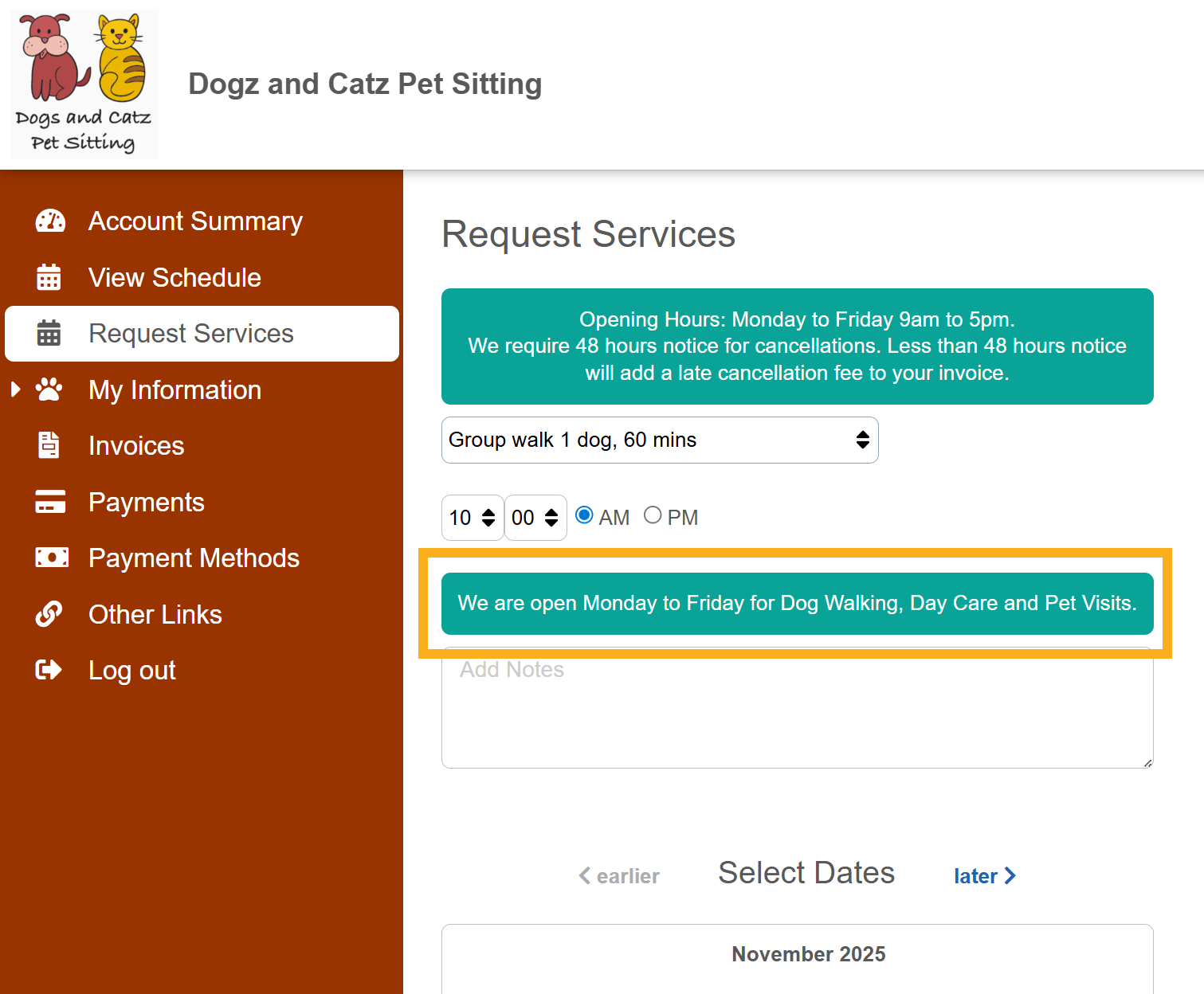
The Client Portal Notice forms part of Service Availability Controls and is a customizable message that can be set at company level, service groups, specific services, Public Holidays and Company Vacations. This notice appears in the Client Portal Service Request page after a client selects a service. Its a great way to give clients timely reminders or extra guidance right when they need it.
An example use for the Client Portal notices could be highlighting limited service availability, suggest related services, guidance on when certain services are available or simply remind a client to update their visit routine in the pet profile before booking.
Setting up a Company Wide Client Portal Notice
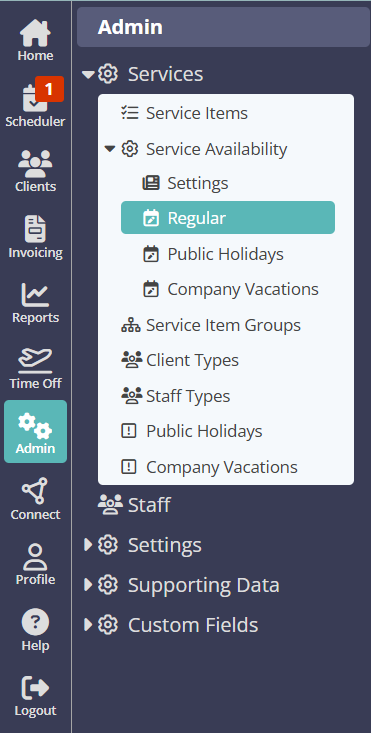
Navigation: Admin > Services > Service Availability > Regular
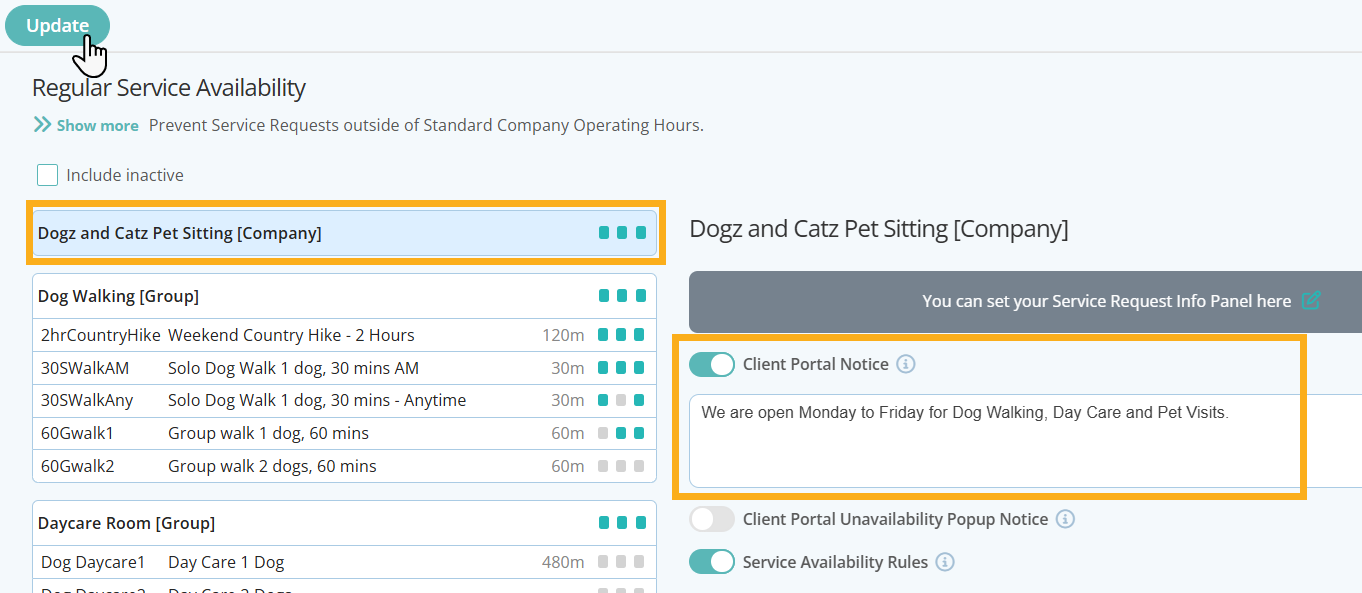
- On the regular Service Availability page, click your company name in the first box
- Switch ON "Client Portal Notice"
- Add your message or notice in the box provided
- Click "Update" to save your changes
Your company level Client Portal notice will automatically be shown when a client selects a service.
How Do I Set a Client Portal Notice For A Specific Service Group?
As well as a Company wide notice, you can also set notices for Service Groups, Individual Services, Public Holidays and Company Vacations. These notices will override your company wide notice
You can use additional Client Portal notices to relay key information about certain service availability, restrictions or even cancellation rules.
Navigation: Admin > Services > Service Availability > Regular
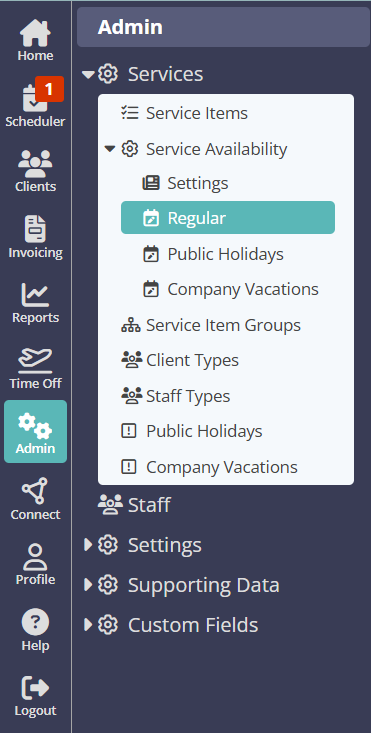
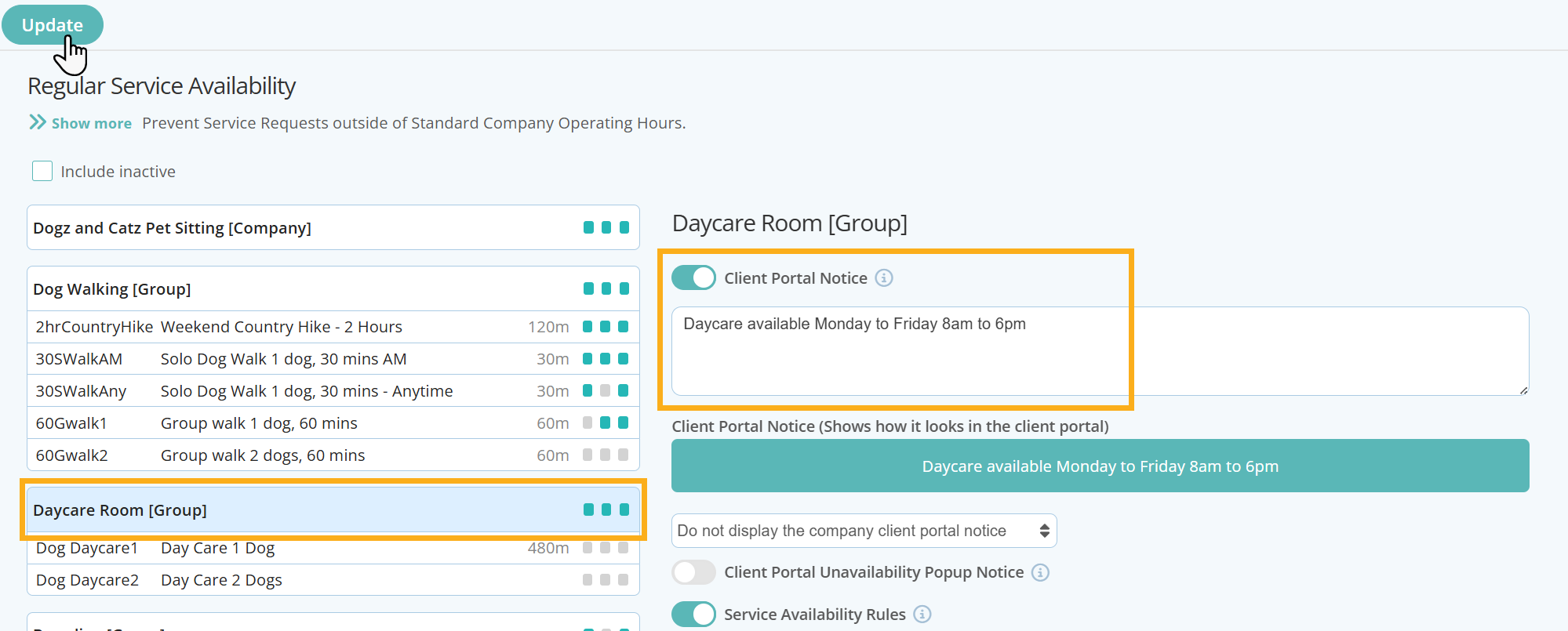
- Click the Service Group or Individual service that you wish to set a Client Portal Notice for.
- Switch ON "Client Portal Notice"
- Enter the text in the box provided
- Click "Update" to save your changes.
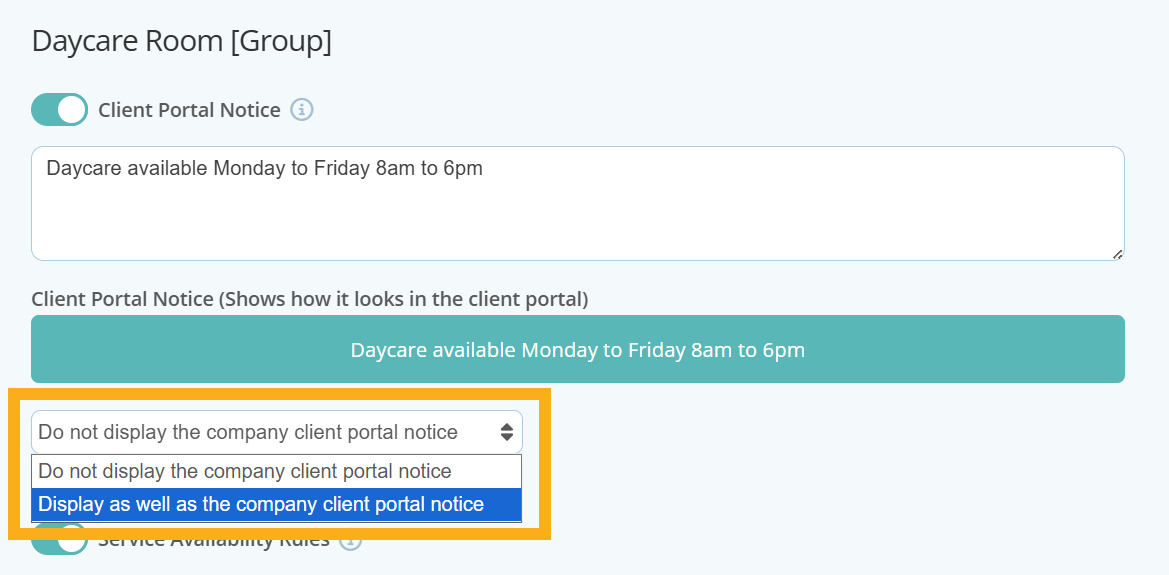
If you have already set a company level notice, you can choose whether or not to display additional Client Portal Notices alongside it. In the drop down box select either "Do not display the company client portal notice" or "Display as well as the company client portal notice".
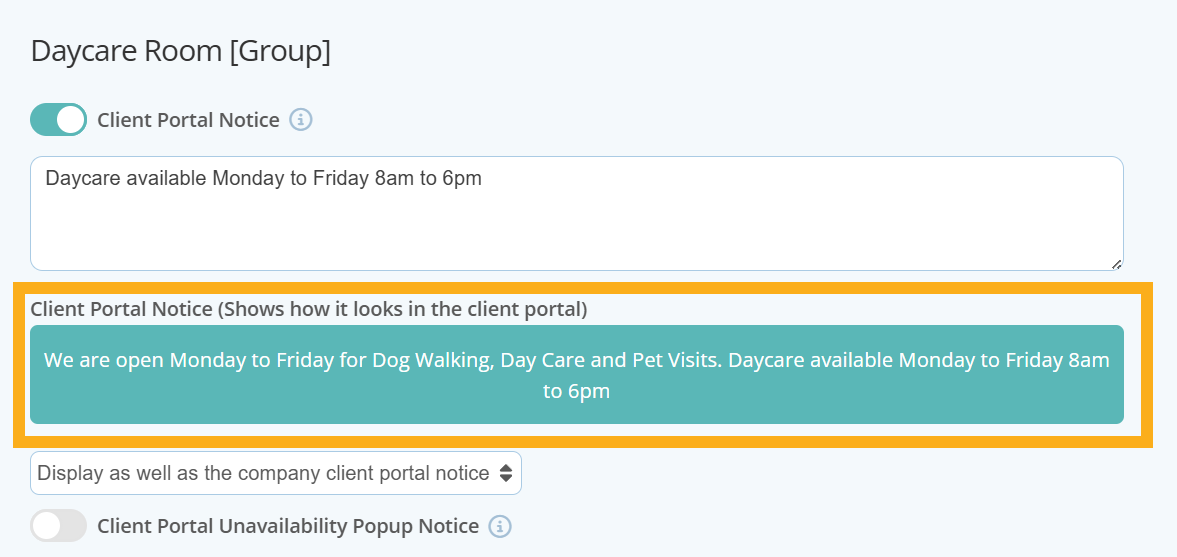
A helpful display panel also shows you exactly what your notices will look like in the client portal and will also display your branding colours that have been set when customizing your client portal.
Go on to add other Client Portal Notices for other Service Groups, individual services, Public Holidays or Company Vacations or a Service Request Information Notice that appears at the top of the Service Request Processing Screen.
Tip: Read more about adding specific Service Group or Service availability, or prevent clients from being able to request services when its a public holiday or company vacation. Or learn how to add customized messages to communicate with your clients about your services and availability.
Was this article helpful?
That’s Great!
Thank you for your feedback
Sorry! We couldn't be helpful
Thank you for your feedback
Feedback sent
We appreciate your effort and will try to fix the article