The Service Request Info Panel can be used to allow Admins and Business owners to add a company notice or message to the Request Services page of the Client Portal.
Example uses:
- Provide guidance to your clients for the request service process
- Notices about up and coming closures
- Notices about service or price changes
- Cancellation notices
- Opening times
- All of the above
Your notice will be displayed in a text box in the client portal and will match the color customizations added in the Customize Portal settings page.
How Do I Add a Service Request Info Panel Notice ?
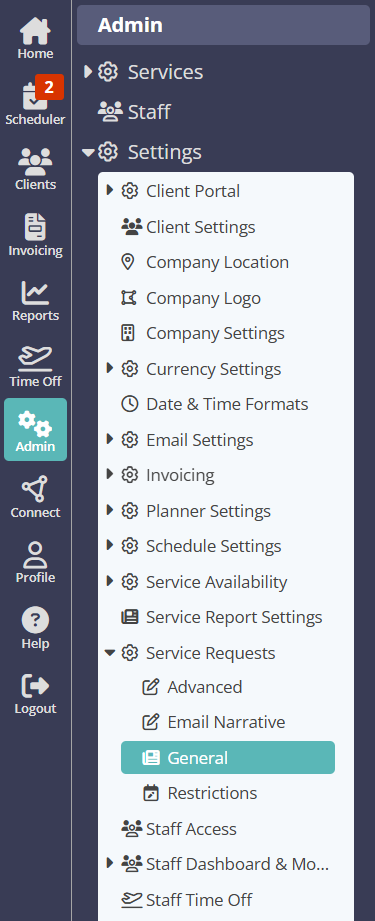
Navigation: Admin > Settings > Service Requests > General
- In the text box provided, enter your notice or message
- Click "Update."
Tip: If you would like to use the example shown, copy and paste the below text into your Service Request Info Panel.

Welcome to How to Book Services!

1. Choose your service.
2. Select the time.
3. Add note (optional).
4. Choose your date(s). Select each date to appear in the list below.
5. Click Add to Basket.
6. When ready, click Submit Now to send in your request.

Below, you may see additional messages regarding the time and availability of services that you request.

Your notice will then be displayed on the Request Services page of the Client Portal.

Note: The Service Request Info Panel notice can also be displayed alongside other Company or Service specific notices configured in Service Availability Settings.Was this article helpful?
That’s Great!
Thank you for your feedback
Sorry! We couldn't be helpful
Thank you for your feedback
Feedback sent
We appreciate your effort and will try to fix the article